- Home
- Health Needs Fit
- Low Vision Friendly Scooter Features
- Carers and Low-Vision Scooters
How Can Carers Make a Mobility Scooter Easier to Use With Low Vision? Labels, Tactile Markers, and Simple Setup Tweaks
Picture this. You've just helped your dad buy his first mobility scooter. He's excited—genuinely excited—for the first time in months. But two days later, you watch him sit on it, squint at the control panel, press the wrong button, and mutter, “I'll just walk instead.” That moment is heartbreaking, and it's also fixable. The right carer tweaks for low vision on a mobility scooter don't require a mechanic, a soldering iron, or a permission slip. They require a few small, reversible changes—and a willingness to see the scooter through your person's eyes.

Here's the reassuring part: research and clinical guidance consistently point to the same simple solutions. Tactile aids like bump dots, high-contrast labels, and textured stickers are standard low-vision supports. Self-adhesive dots called bumpons can be placed on buttons and dials to create a visible, tactile indicator. A liquid plastic called Tacti-Mark sets hard and can mark buttons, dials, and tools in black or bright orange.
None of this is exotic. It's everyday low-vision practice, applied to a scooter—and you can start today.
First, Understand What You're Trying to Fix
Before you stick anything anywhere, take a step back and watch your person use the scooter. What actually goes wrong? Common patterns from real scooter usability research include:
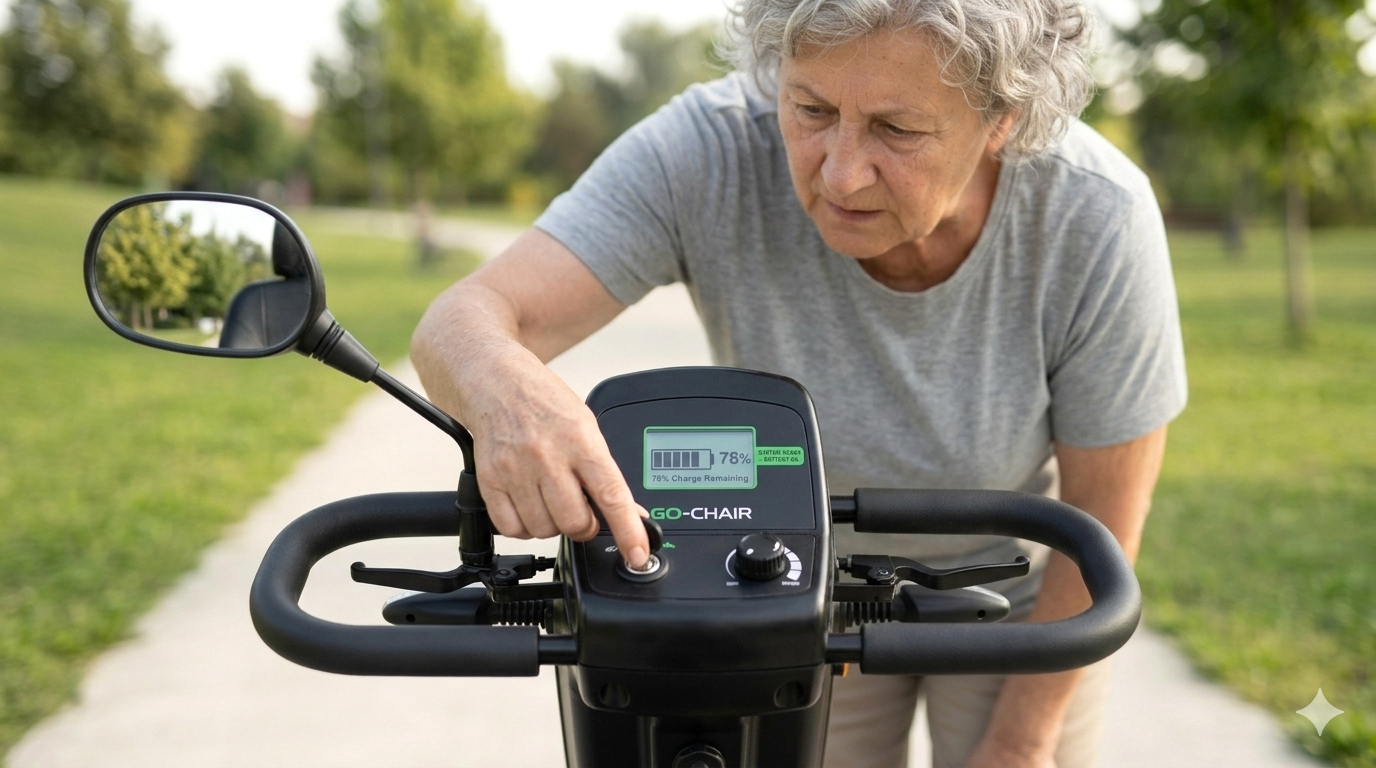
- The battery gauge is hard to read, with glare and a faint needle making it difficult for people with poor vision to interpret.
- Labels are difficult to read, and controls are small and fiddly.
- The horn is too weak, and indicators sometimes require taking a hand off the steering to operate.
- Some controls cause confusion, like a speed switch that isn't clearly understood or a display that's hard to see in bright light.
The fixes that follow are designed to address exactly these friction points. But first, a few ground rules—because a well-meant tweak should never create a new problem.
The Ground Rules: Safe, Reversible, and Warranty-Friendly
Before you add a single sticker, check the scooter's manual or ring the dealer and ask: “Can I add labels or markers to the controls without affecting the warranty?” Most dealers will say yes to non-permanent additions, but it's worth asking. Avoid covering vents, sensors, warning labels, or charging ports. Avoid adhesives that leave residue on rubber or soft-touch surfaces. And avoid anything that changes the physical operation of a control—don't pad a throttle or block a brake lever.
The goal is augmentation, not modification. You're adding contrast and touch cues, not rebuilding the tiller.
With that in mind, let's start with the single most effective tweak.

Tactile Markers: Let Fingers Do the Finding
This is the heart of the carer's toolkit. Tactile markers give your person's thumb a landmark, so they can find a control without looking down. That single change reduces fumbling, frees up vision for the path, and quietly restores confidence.
Bump dots (bumpons) are self-adhesive raised dots or squares that come in different colours and sizes. You peel them off and place them on buttons, around dials, and near frequently used settings, giving a highly visible and tactile indicator of where things are. Use them to mark:
- The horn button, so it can be found by feel in an emergency.
- The indicator switch, ideally on both sides if the panel allows.
- The speed dial, with one dot at the low-speed setting and two at the higher setting.
- The key or on/off switch, so it's easy to locate in a pocket or bag.
Tacti-Mark is a liquid plastic that sets hard and comes in black and bright orange. It's excellent for marking buttons, dials, and small indicators, and it's more permanent than a bump dot but still surface-level. Puff paint or several layers of Elmer's glue can also create raised symbols on buttons, though these are less durable than purpose-made products.
One tip: use different shapes for different controls. A single dot for the horn, a line for the indicator, a triangle for the hazard lights. Your person's fingers will learn the language faster than you'd expect.
High-Contrast Labels: Making the Invisible Visible
If your person has some remaining vision, contrast is your best friend. The principle is simple: light on dark, or dark on light, with large, sans-serif lettering. Avoid pastels, avoid grey-on-grey, and avoid anything smaller than about 14-point text if it's meant to be read at a glance.
Here's where to apply it:
- Label the key controls with large-print, high-contrast text: “HORN,” “INDICATOR,” “SLOW,” “FAST.”
- Add a high-contrast sticker to the battery gauge if it's hard to read—something that frames the display or points to the “full” and “empty” ends.
- Mark the speed dial with a bright orange or white line at the low-speed position, so your person can set a safe speed by feel and by sight.
- Label the charging port and the key slot, because those are the two things that cause the most daily frustration.
For a more polished look, printed labels with white text on a black background or black text on a yellow background are easy to produce at home and easy to replace. And if you want to go further, Tacti-Mark in bright orange doubles as both a visual and a tactile cue.
Setup Tweaks: Position, Light, and Glare
Sometimes the easiest fix isn't on the scooter at all—it's where the scooter sits and how the light falls on it.
Position the scooter for the best light. If your person mostly uses the scooter in the morning, park it where natural light falls on the control panel rather than behind it. If the scooter lives in a dim hallway or garage, add a battery-powered LED strip light or a clip-on lamp near the charging area and the control panel. Good lighting is one of the simplest low-vision supports there is.
Reduce glare. Glare on the battery gauge and display is a documented usability problem for scooter users with poor vision. You can't always change the scooter's screen, but you can:
- Tilt the tiller so the display faces away from the main light source.
- Add a small sun hood made from a strip of matte card or plastic above the display, as long as it doesn't block the rider's view of the path.
- Keep the display clean—a smudged screen scatters light and makes glare worse.
Set up a consistent parking and charging routine. Same spot, same cable, same motion, every time. Consistency reduces cognitive load, and it means your person always knows where the key goes and which way the charger plugs in.
For more on parking routines, our guide to low-vision-friendly parking and locking routines is a useful companion. (Coming Soon!)
The Practice Routine: Building Confidence, Not Just Access
A tweak only works if your person knows it's there and has practised using it. So build a short, low-pressure practice routine:
- The eyes-closed check. Ask your person to find the horn, the indicator, and the speed dial by touch alone. If they can't, the markers need repositioning.
- The one-glance check. Ask them to glance at the display and tell you the battery level. If they have to lean or squint, the contrast or glare fix isn't working yet.
- The short ride. Practise in an empty car park or a quiet footpath, using the new markers to set the speed and signal a turn. Repetition in a safe environment builds the mental map that makes independent riding possible.
A useful rule of thumb: if your person can't operate the scooter by touch and a single glance, the setup isn't finished. Keep adjusting until it feels natural—not until it looks neat.

When to Bring in an Occupational Therapist
You can do a lot as a carer, but some situations call for a professional. An OT can assess functional vision, reaction time, and goals, and then recommend specific tweaks and training—often with access to low-vision aids you might not find in a hardware shop.
If your person has a visual field defect, cognitive changes, or significant hand dexterity issues, an OT's input is especially valuable, because the right tweak depends on which part of the task is actually difficult.
The OT can also advise on whether the scooter itself is the right match—sometimes a different tiller layout or a different model is a better fix than any sticker. And if you're wondering whether a scooter is the right device at all, our comparison of mobility scooter vs power wheelchair for low vision (Coming Soon!) is a useful next read.
A Final Word (Before You Go)
You are not “interfering” by adding a bump dot to a horn button. You are doing exactly what low-vision support is supposed to look like: small, thoughtful changes that let a person do more for themselves.
Start with one control, one label, one tweak. Watch what happens to your person's posture when they stop squinting. That's the whole point—and the rest is just refinement.
Stay mobile, stay confident!
Sign up for our monthly Mobility Scooter Newsletter to receive practical guides, expert advice, and inspiring stories that help you make the most of your scooter and download our free "Mobility Scooter Guide for Beginners."
Don't worry — your e-mail address is totally secure.
I promise to use it only to send you our newsletter, "Mobility Matters."
Recent Articles


-
The Low Vision Friendly Scooter Features Nobody Explains
Oct 29, 26 07:19 AM
 Low vision friendly scooter features that reduce risk and restore independence—without jargon, guesswork, or pressure.
 -
How Carers Make a Mobility Scooter Easier to Use With Low Vision
Oct 29, 26 07:17 AM
How can carers make a mobility scooter easier to use with low vision? Labels, tactile markers, and simple setup tweaks that build daily confidence. -
The Low-Vision-Focused Test Drive Checklist Nobody Hands You
Oct 29, 26 05:48 AM
 How do I do a low-vision-focused test drive of a mobility scooter? Here's the checklist that turns a stressful showroom visit into a confident decision.



Ready to Feel More Confident on Your Mobility Scooter?

My Ebook, The Ultimate Guide to Mobility Scooters, walks you through choosing the right scooter, using it safely, and keeping it in top condition — all explained in clear, friendly language.
Give yourself (or someone you love) the gift of independence.




